
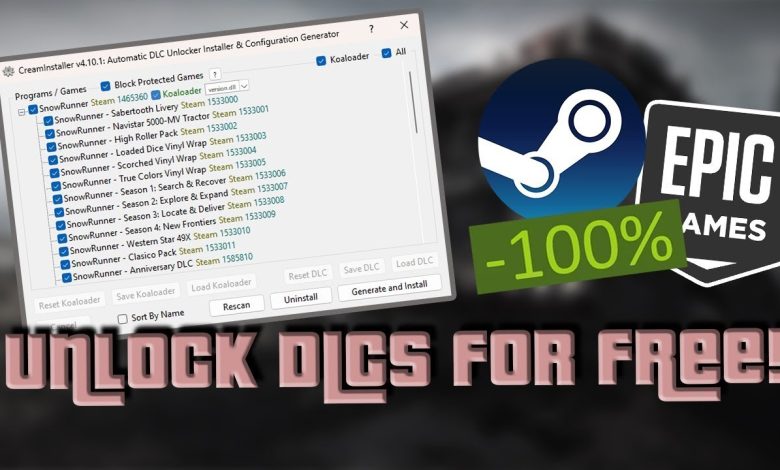
In the world of software and gaming tools, users are always looking for ways to make installation faster, smoother, and less complicated. One name that often appears in discussions is CreamInstaller. It is usually mentioned as a utility related to managing game content installations, particularly for downloadable content (DLC) in certain gaming setups. The main question many users ask is whether tools like this actually save time or if they create more problems than they solve.
To answer this properly, it is important to look at what such tools are used for, how they claim to improve efficiency, and what risks or limitations come with them. Time-saving is not just about speed; it is also about reliability, safety, and long-term convenience.
Understanding the Purpose of CreamInstaller
CreamInstaller is generally known in online communities as a tool associated with installing additional content for games, especially DLC or expansions. Instead of manually managing multiple downloads or installation steps, it aims to automate parts of the process.
In theory, any tool that reduces repetitive tasks can be seen as a time-saving solution. Users do not need to search for files, extract archives repeatedly, or manually place content in directories. The promise is simple: fewer steps, faster setup, and less technical effort.
However, the actual usefulness of such a tool depends heavily on how it is used, the environment it is running in, and whether the content being installed is legitimate and compatible with the system.
The Idea of Time Saving in Software Tools
When people think about saving time, they often focus only on installation speed. But in software workflows, time saving also includes setup reliability, troubleshooting, updates, and maintenance.
A tool may appear fast at first, but if it causes errors or conflicts later, the time spent fixing issues can outweigh the initial benefit. This is especially true in gaming environments where missing files, version mismatches, or corrupted installations can lead to crashes or performance issues.
So, when evaluating whether CreamInstaller saves time, it is necessary to look at both short-term convenience and long-term stability.
Where It Can Appear Helpful
From a purely functional point of view, tools like CreamInstaller can feel efficient in certain situations. If a user is dealing with multiple game components or add-ons, automation reduces manual effort. Instead of repeating similar installation steps, the tool handles repetitive tasks in a more centralized way.
This can be especially appealing for users who are not technically experienced. A simplified interface and automated process can make complex file handling feel much easier. In that sense, it reduces the learning curve and speeds up what would otherwise be a tedious manual process.
Another area where it may seem useful is organization. When multiple game files and expansions are involved, keeping track of everything manually can be confusing. A single tool managing the process can give the impression of better control and efficiency.
The Hidden Cost of Convenience
Despite the surface-level time savings, there are important drawbacks that cannot be ignored. One of the biggest concerns with tools like CreamInstaller is reliability. Automated installation processes can sometimes behave unpredictably depending on system configuration or file sources.
When something goes wrong, users may spend significantly more time troubleshooting than they initially saved. Missing dependencies, broken installations, or incompatible updates can turn a simple process into a complicated repair task.
Another issue is the lack of official support. Tools that are not part of verified software ecosystems often do not have customer service or documentation that helps resolve problems quickly. This means users are left searching through forums or trial-and-error solutions, which can be very time-consuming.
Security and Stability Concerns
Time saving is not just about minutes or hours saved during installation. It also includes avoiding risks that could lead to system damage or data loss. Unofficial installers or third-party modification tools can sometimes introduce security risks, including malware, unstable scripts, or unwanted background processes.
Even if a tool appears to work correctly, it may still affect system stability in subtle ways. Performance drops, crashes, or conflicts with other software can appear later, forcing users to spend additional time diagnosing issues.
In a professional or productivity-focused environment, these risks make such tools less appealing, because stability often matters more than initial speed.
Ethical and Legal Considerations
Another important angle when discussing CreamInstaller is the ethical and legal side. Depending on how it is used, it may interact with content that is not distributed through official or authorized channels.
This matters because time saved today can lead to bigger problems later, such as account restrictions, revoked licenses, or legal complications. These consequences are not always immediate, but they can be far more time-consuming and costly in the long run.
For users who prioritize long-term reliability, official platforms and legitimate installation methods remain the safest and most efficient option overall.
Comparison with Official Installation Methods
Modern game platforms and software distributors already provide highly optimized installation systems. Services like Steam, Epic Games Launcher, and others are designed to handle downloads, updates, and DLC integration automatically.
These systems are built for consistency. They may not always feel as flexible as third-party tools, but they significantly reduce the chances of errors. Updates are handled automatically, file integrity is verified, and support is available when problems occur.
When comparing these official systems with tools like CreamInstaller, the difference in long-term time efficiency becomes clearer. While unofficial tools might seem faster initially, official platforms reduce troubleshooting time and maintenance effort.
Final Evaluation
So, can CreamInstaller save time? The answer depends on how the question is framed.
In a short-term sense, it may reduce manual steps and simplify certain installation processes, giving the impression of faster results. However, when considering long-term use, stability, safety, and potential troubleshooting, the time savings can quickly disappear.
True time efficiency is not just about speed but also about reducing future problems. A tool that requires extra maintenance, carries risks, or lacks official support may end up costing more time than it saves.
Conclusion
CreamInstaller, like many third-party automation tools, sits in a gray area between convenience and risk. It can simplify certain tasks and reduce effort in the moment, but it also introduces uncertainties that can lead to additional time loss later.
For users who value stability, security, and long-term efficiency, official installation platforms remain the more reliable choice. While the idea of saving time is appealing, real productivity comes from tools that work consistently without creating hidden complications.